
DE Rechnungsfreigabe
Multi-level vendor-bill approval (Eingangsrechnungs-Workflow) by amount and Kostenstelle with full audit trail and GoBD-relevant approval log.
Want DE Rechnungsfreigabe installed and configured for you? Onboarding Pack: $350 one-off
Support plans from $425 a month
Approve vendor bills before they are posted
Approval matrices by amount band and Kostenstelle with sachliche, rechnerische and management steps, a personal inbox and an approval log
Incoming invoices often need two or three signatures before they may be paid. Define approval matrices by amount band and cost centre, each with an ordered chain of steps: sachliche Freigabe, rechnerische Freigabe, management sign-off. A bill is submitted to the matching matrix, every approver sees the steps waiting for him in his inbox, decides with a comment, and the bill can be posted only when the chain is complete and the amount is still the approved one. Every decision is kept in a separate log.
Key features
Matrix by amount and cost centre
A matrix applies to a company, an amount band (from, to) and optionally one analytic account. A matrix bound to the bill's cost centre wins over a general one.
Ordered steps
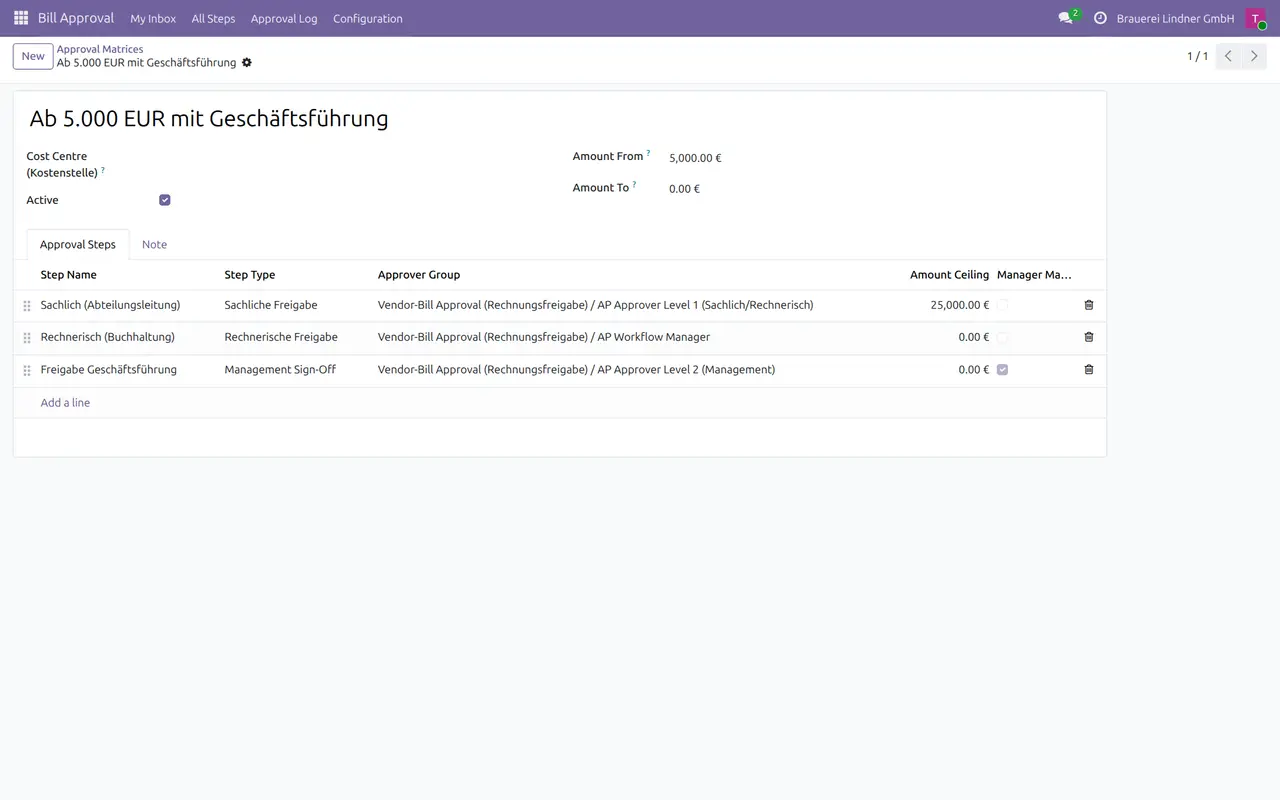
Each step has an order, a type (sachlich, rechnerisch, management, custom), the approver group, an optional amount ceiling and whether a manager may skip it with a reason.
Inbox per approver
My Inbox lists the steps awaiting a decision from a group the user belongs to, the groups a higher role implies included.
Decide with a comment
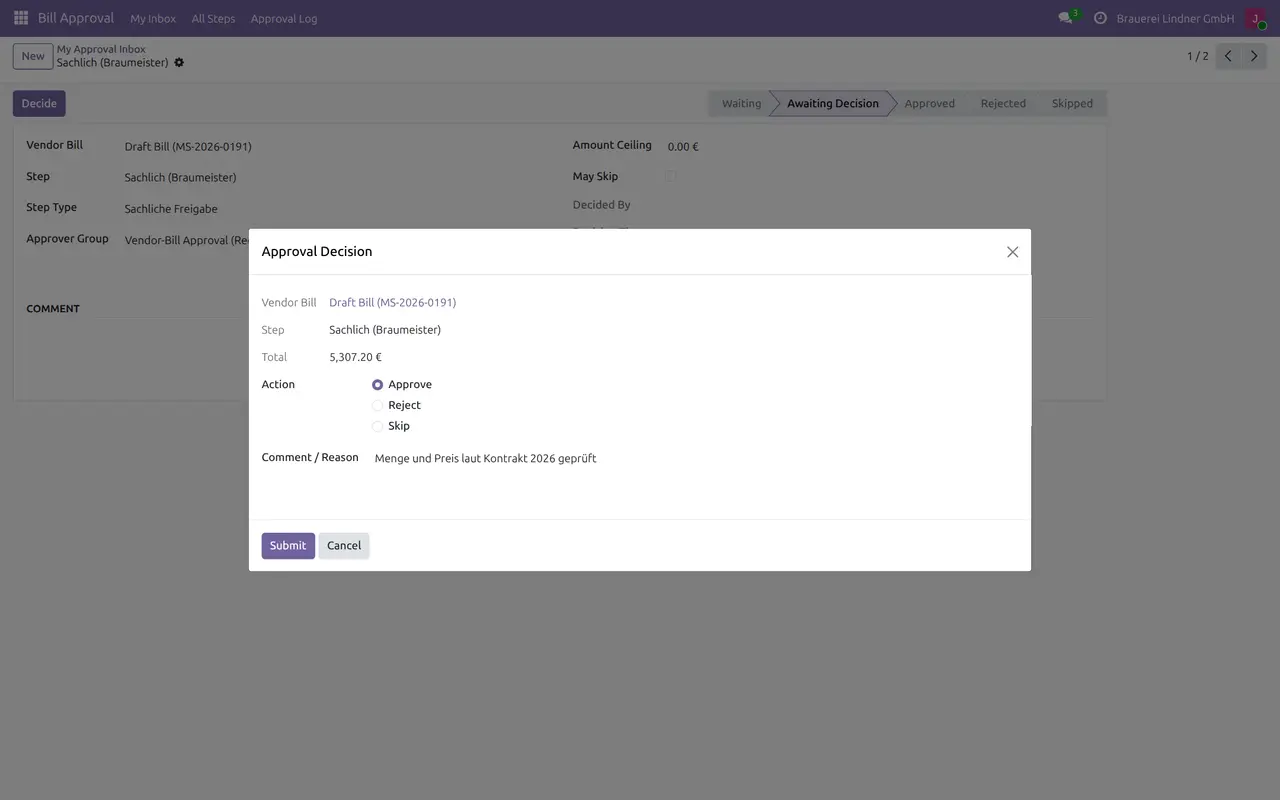
Approve, reject or skip from a dialog. Reject and skip need a reason. A step above its ceiling must be escalated.
No posting without approval
A vendor bill that matches a matrix cannot be posted before the chain is complete, and not when its total changed after the approval.
Duplicate and Skonto
Submitting warns when the vendor already has a bill with the same reference. Skonto percent and days give the deadline and the amount after discount.
Approval log
Who decided which step of which bill, on which amount, when and with which comment, kept even when a workflow is reset.
Screenshots
Odoo 19.0 with the data of a German brewery; the same screens apply to Odoo 18.0 and 20.0.
1. My inbox
The steps awaiting a decision of the head of department.

2. Decision
Approve, reject or skip with a comment.
3. Bill in approval
Matrix, progress, current step and Skonto deadline on the vendor bill.

4. Approval matrix
Three steps for the higher amount band, management sign-off last.
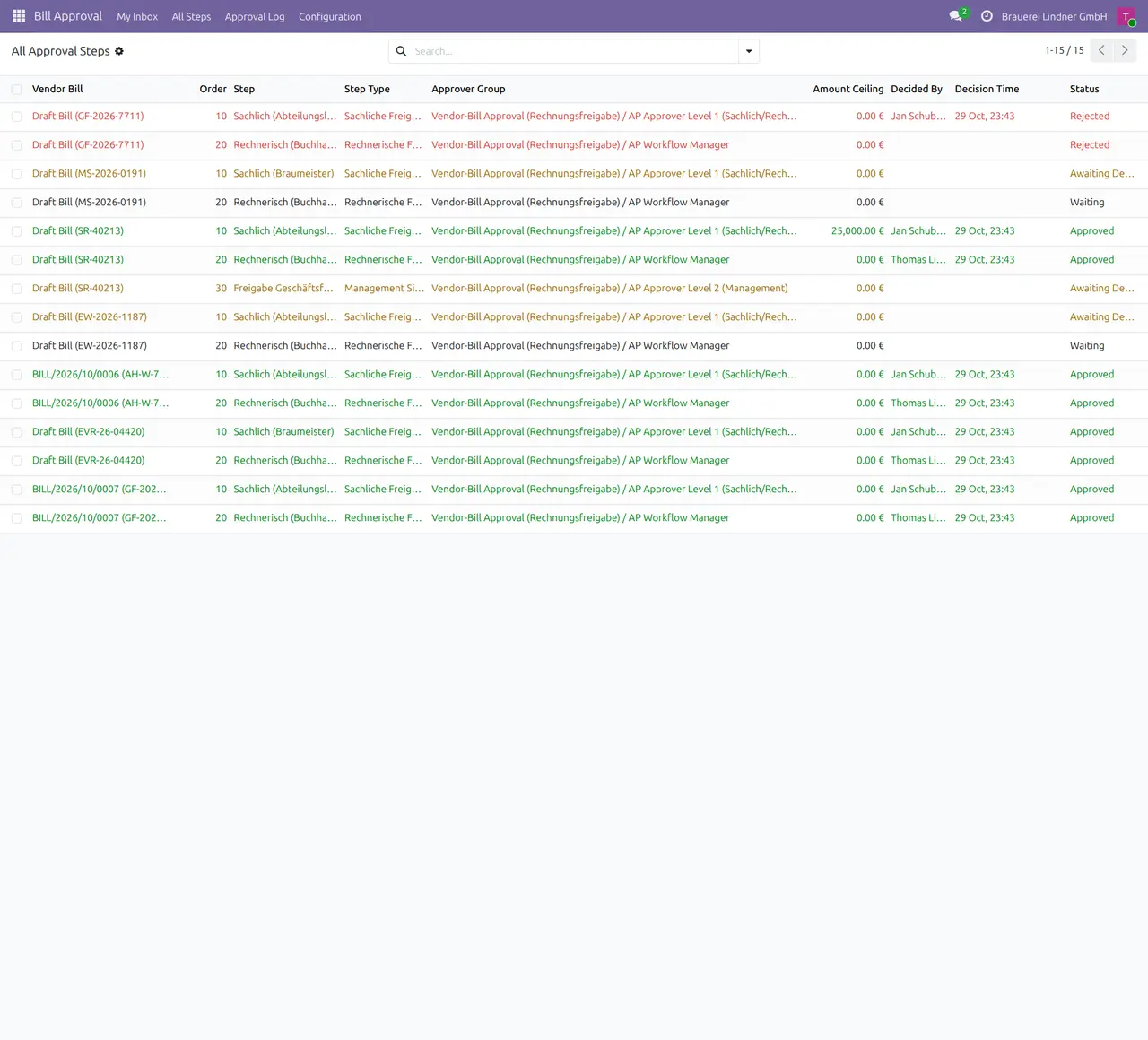
5. All steps
Approved, rejected, waiting and active steps of all bills.
6. Approval log
Every decision with user, time, amount and comment.

Why this app
✓ Ordered approval steps on incoming invoices, inside Odoo accounting.
✓ Approvers see only what waits for them.
✓ A changed amount needs a new approval.
✓ A log your auditor can read.
Get started
Groups
Give approvers the Level 1 or Level 2 group, managers the workflow manager group.
Matrices
Create matrices with amount bands, cost centres and steps.
Submit
Submit the vendor bill; the matching matrix is applied.
Decide and post
Approvers decide in their inbox; post when the chain is complete.
Questions
What happens when no matrix matches?
The bill is approved automatically and a note is written in the chatter.
Can the approval be reset?
Yes, by a workflow manager. The log keeps the earlier decisions.
Auf Deutsch
DE Rechnungsfreigabe führt Eingangsrechnungen vor dem Buchen durch eine Freigabe-Matrix nach Betrag und Kostenstelle.
- Freigabe-Matrizen nach Betragsband und Kostenstelle
- Sachliche, rechnerische und Management-Freigabe in fester Reihenfolge
- Persönlicher Posteingang je Freigeber
- Buchen erst nach vollständiger Freigabe und unverändertem Betrag
- Dublettenhinweis und Skonto-Frist
- Freigabeprotokoll mit Benutzer, Zeit, Betrag und Kommentar
Specifications
- This page: Odoo 19.0 (also available for Odoo 18.0 and 20.0), Community and Enterprise
- License: OPL-1
- Languages: English, German
- Depends on: account, analytic, mail
- Author: Pokutsoft, pokutsoft.com
- Support: support@pokutsoft.com
Update date: 2026-10-30 · Version: 19.0.1.2.5
User guides (PDF)
Related modules

DE Wertberichtigung
Age-based bad-debt provision matrix (Einzelwertberichtigung), write-off journals and section 17 UStG VAT correction worksheet for German receivables.

DE Bankabstimmung
German bank reconciliation helper: amount-tolerance matching and Verwendungszweck (SEPA remittance) keyword rules for statement lines.

DE Vier-Augen-Prinzip
Four-eyes (Vier-Augen-Prinzip) maker-checker approval gate before posting manual journal entries above a configurable threshold (IKS / internal control).