
BE DIMONA Worksheet
Capture and export the immediate-employment DIMONA declaration data per hire, exit and update so the employer (or their social secretariat) can submit it under their own login.
Want BE DIMONA Worksheet installed and configured for you? Onboarding Pack: $350 one-off
Support plans from $425 a month
BE DIMONA Worksheet
Clean DIMONA data for every hire, exit and update, ready for your social secretariat
Every start and end of employment in Belgium is declared to the ONSS/RSZ through DIMONA. This app prepares the data: worker, national number with its modulo-97 check, declaration type, worker type, joint committee, period, planned days or hours and the student hours against the quota of the year. Declarations are validated, grouped in hand-off batches and exported as a worksheet for the secretariat or the person who files.
Key features
Declarations
IN, OUT, UPDATE and CANCEL with worker, type, joint committee, period and planned days or hours.
National number check
Modulo-97 check of the NISS/INSZ, including people born from 2000.
Student hours quota
Hours used and remaining against the quota of the year (600 h in 2023-2024, 650 h from 2025); a year without a quota is reported.
Validation
Missing name, number, ONSS number, dates, planned days or hours and the original reference of an update are listed per declaration.
Hand-off batches
Group declarations per period and secretariat, check, export and mark handed over.
Reference tables
Worker type codes and joint committees used in the declarations.
Screenshots
Taken on Odoo 19.0 with seeded data (no demo data); the same screens apply to Odoo 18.0 and 20.0.
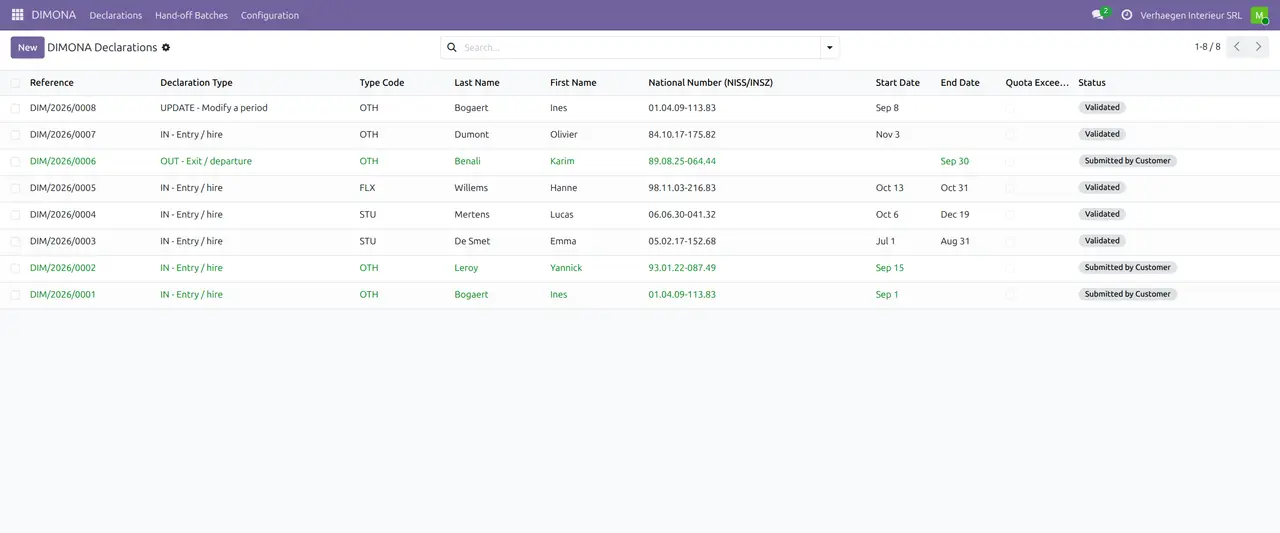
1. Declarations
IN, OUT and UPDATE declarations with their status.
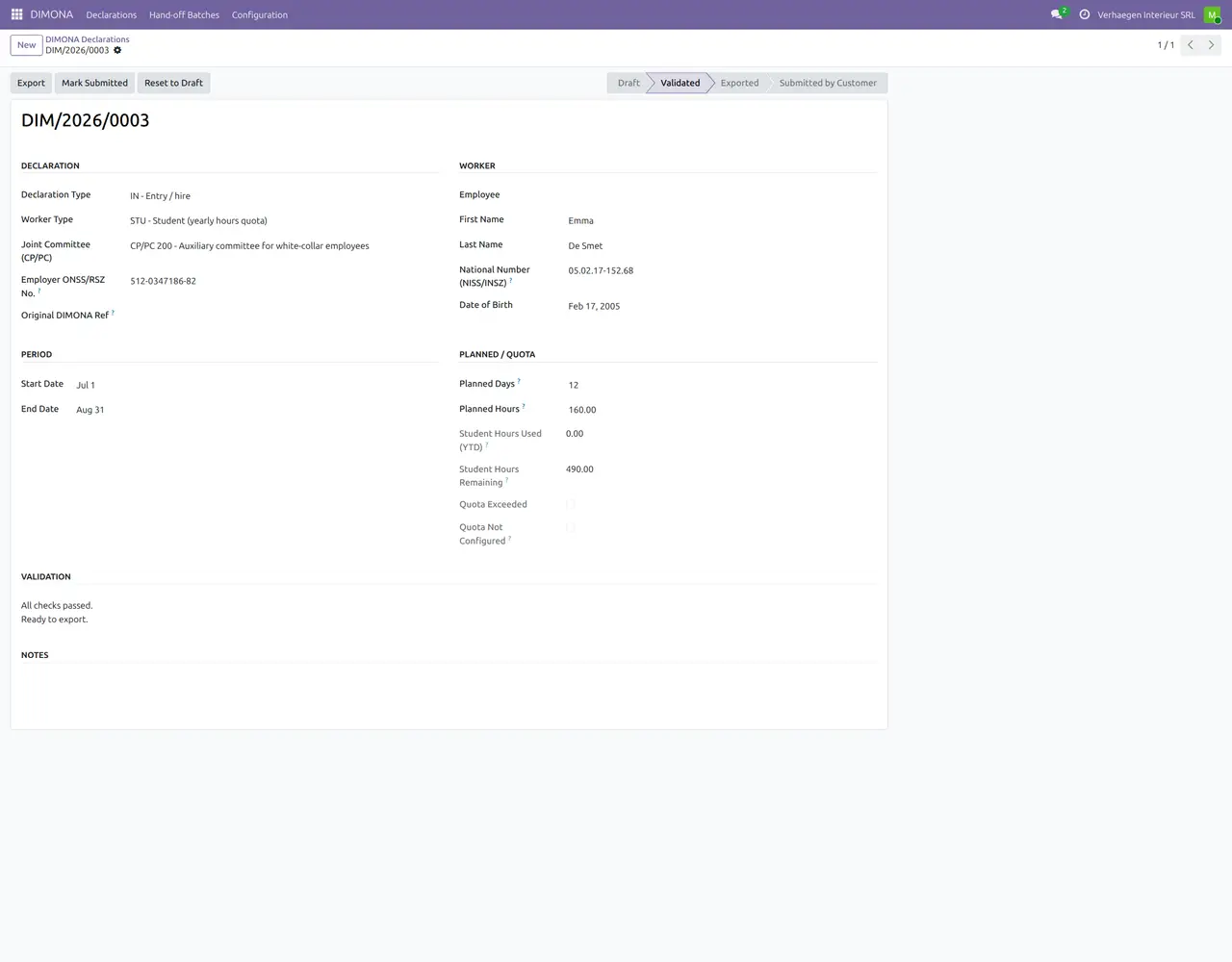
2. Student declaration
A student with planned hours and the hours remaining in the quota of the year.
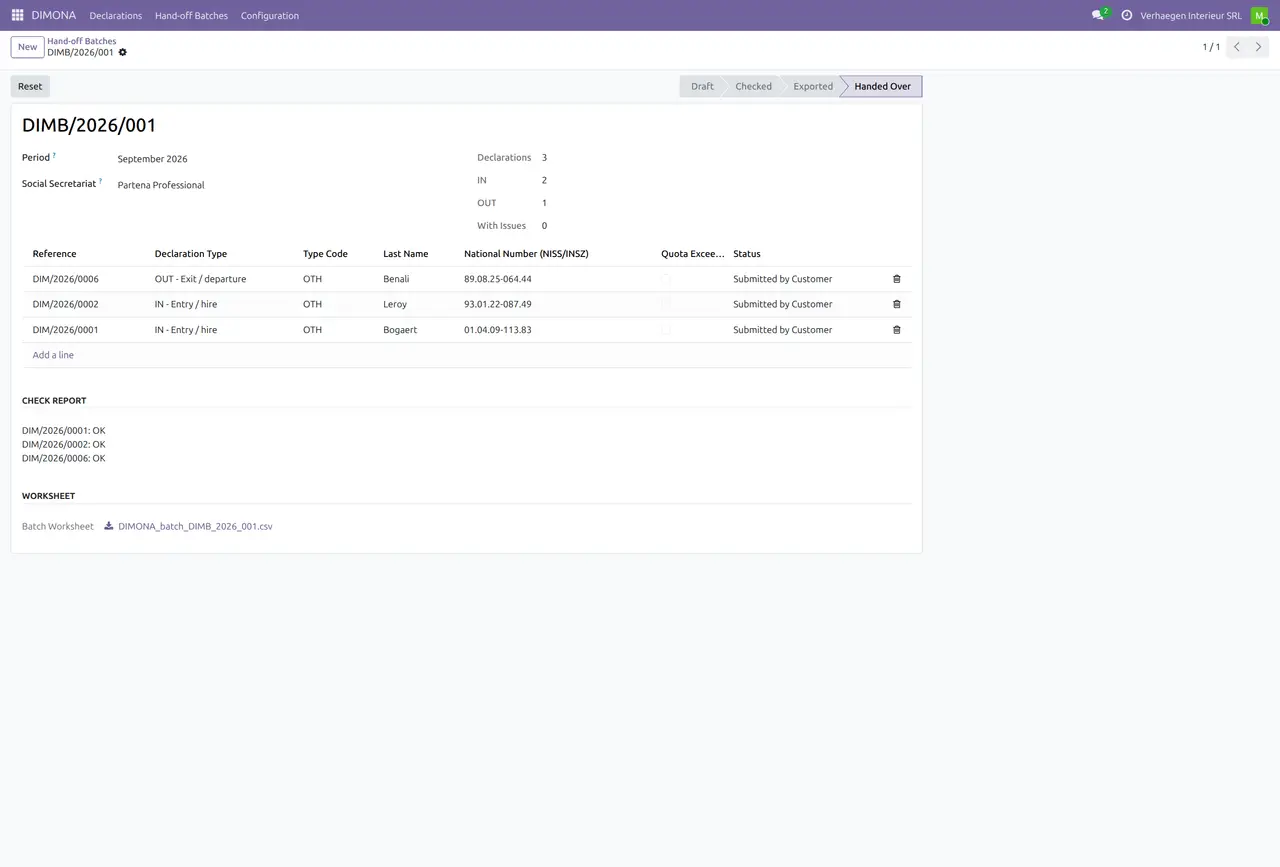
3. Hand-off batch
A September batch checked, exported and handed over.
4. Worker types
DIMONA worker type codes and what each one requires.

5. Student quotas
Student hours per year.

Why this app
✓ The national number is checked before the data leaves.
✓ The student quota is a yearly table, not a fixed number.
✓ Worksheet only: the declaration is filed by you or your secretariat.
Get started
Settings
Set your ONSS number and default joint committee on the company.
Declare
Create the IN, OUT or UPDATE declaration and Validate.
Batch
Group validated declarations in a batch and Export.
Hand over
Send the worksheet to your secretariat and mark the batch.
Questions
Does the app file DIMONA?
No. It prepares and checks the data; filing is done by you or your social secretariat.
Where do the student hours come from?
From the yearly quota table under Configuration > Student Quotas.
En français
Préparation et contrôle des données DIMONA (IN, OUT, UPDATE, CANCEL): NISS modulo 97, type de travailleur, commission paritaire, heures étudiant par année.
- Validation avant export
- Lots remis au secrétariat social
- Tables de référence ONSS
In het Nederlands
Voorbereiding en controle van DIMONA-gegevens (IN, OUT, UPDATE, CANCEL): INSZ modulo 97, type werknemer, paritair comité, studentenuren per jaar.
- Validatie vóór export
- Batches voor het sociaal secretariaat
- RSZ-referentietabellen
Specifications
- This page: Odoo 19.0 (also available for Odoo 18.0 and 20.0), Community and Enterprise
- License: OPL-1
- Languages: English, French, Dutch
- Depends on: hr
- Author: Pokutsoft, pokutsoft.com
- Support: support@pokutsoft.com
Update date: 2026-10-30 · Version: 19.0.1.0.19
User guides (PDF)
Related modules

BE Chèques-Repas +
Meal-voucher and eco-voucher entitlement per worked day with the employer/employee split, the ONSS exemption guard and a Monizze / Edenred / Pluxee provider CSV export.

BE Frais Propres
Track employer-own-cost reimbursements (frais propres à l'employeur / eigen kosten) with the forfait vs justified split, the ONSS-defensible ceilings and a 281.10 fiche feed.

BE Indemnité Vélo
Compute the Belgian bicycle commuting allowance (indemnité vélo / fietsvergoeding) per km with the daily cap, the yearly exemption ceiling guard and a payroll feed.